Add on the Web - Recommended
How to Connect a Gateway
After opening the ThingsIoT cloud platform home page, connect the data-acquisition gateway to the ThingsIoT cloud platform. There are two connection methods. One is to use a mobile phone to add the gateway by scanning its QR code in the WeChat Official Account. The other is to bind the gateway's SN and key on the Web interface. This section explains how to bind a gateway through the Web interface.
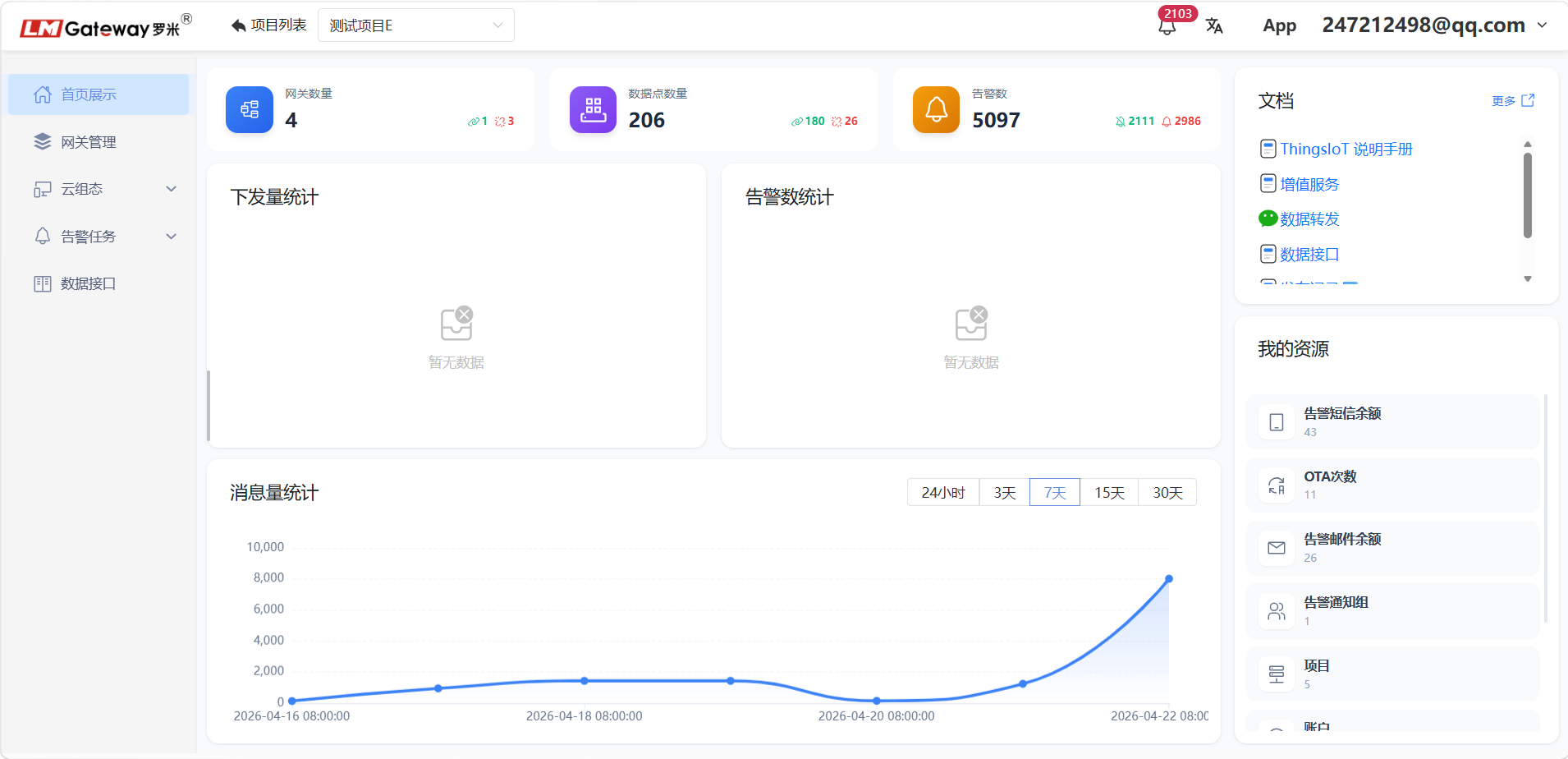
Bind a Gateway on the Web Interface
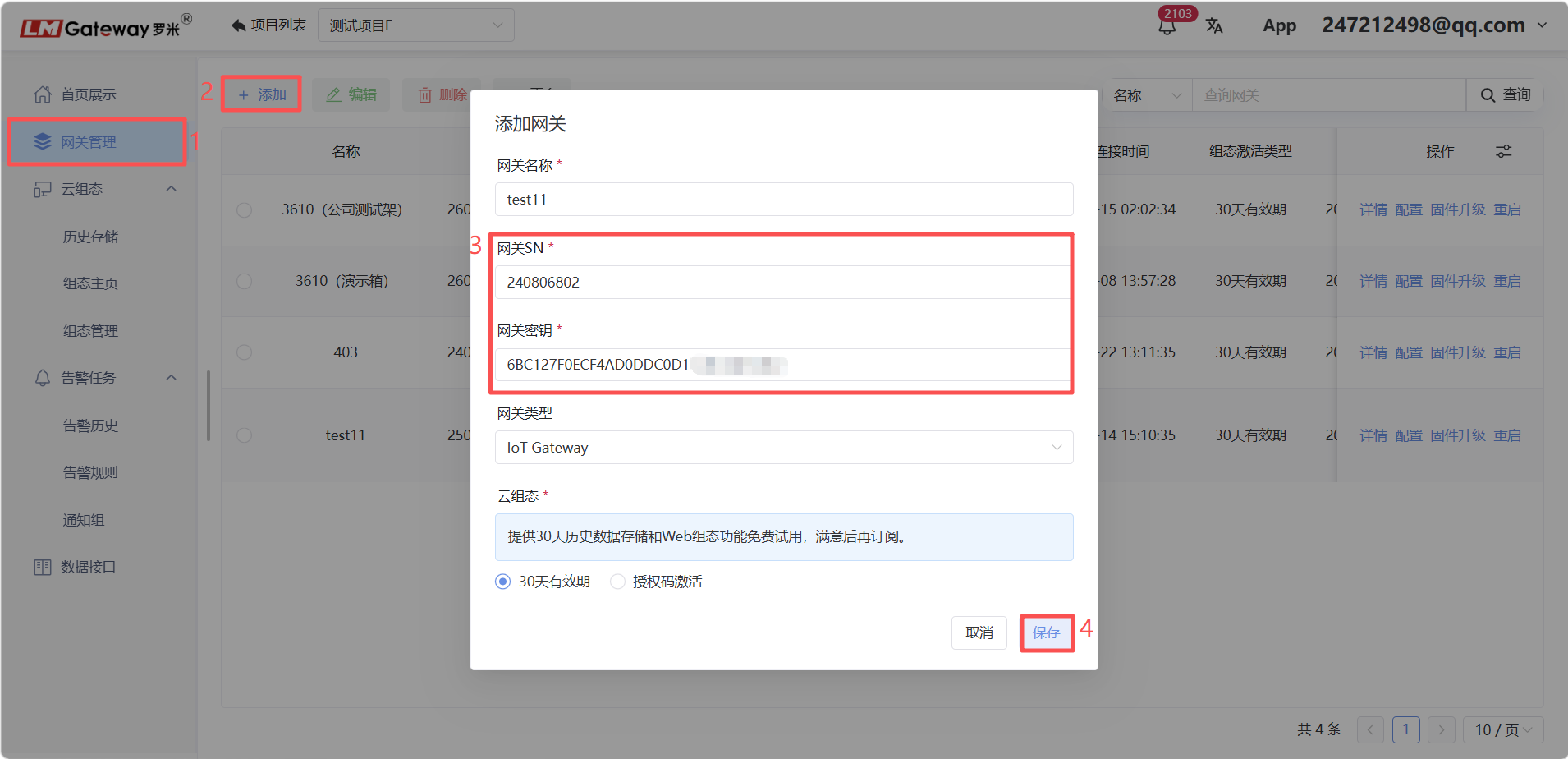
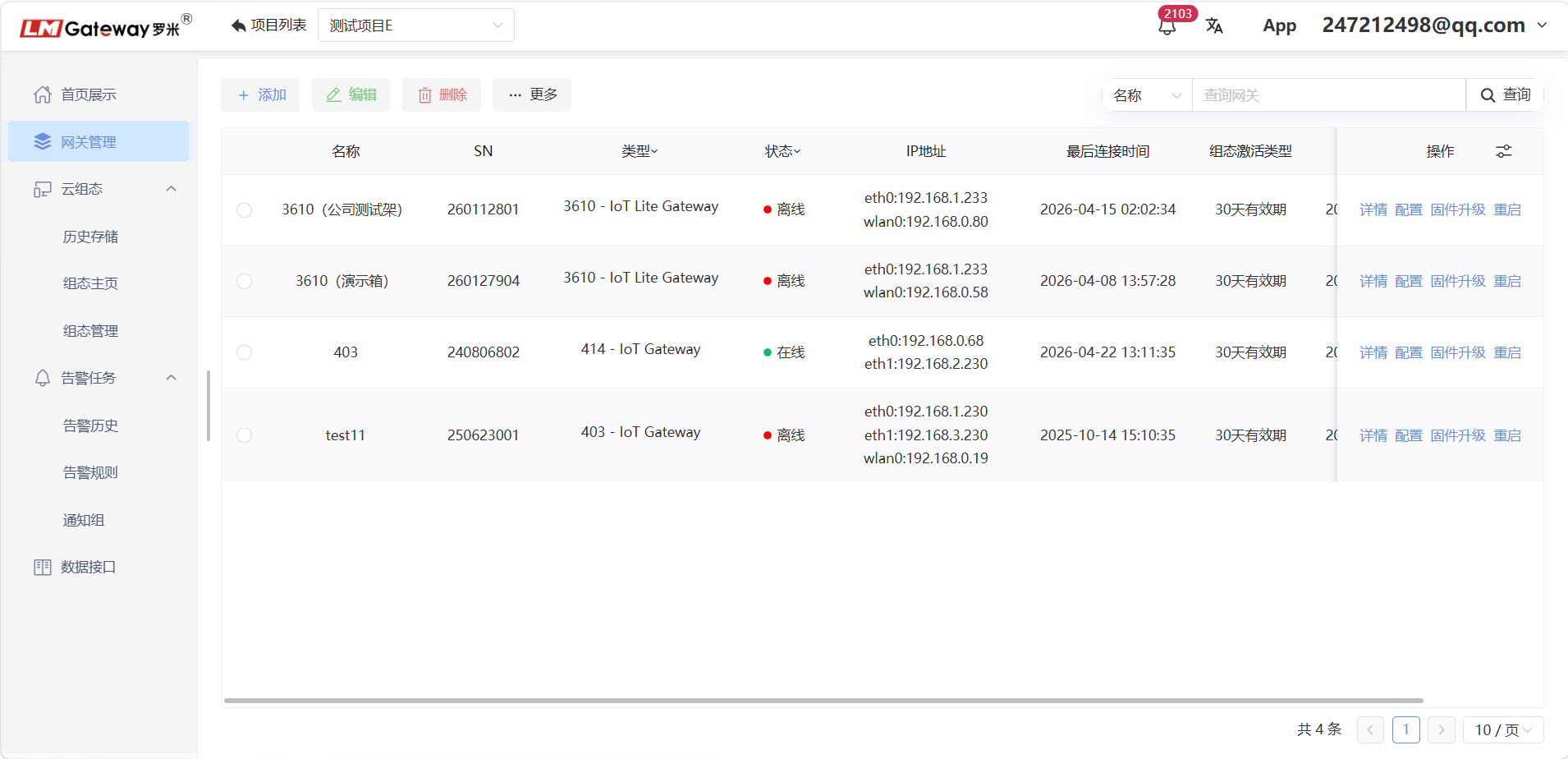
On the Gateway Management page of the Web interface, click Add. Enter the gateway SN and gateway key shown on the gateway's own Web page.
For Cloud SCADA configuration, refer to the corresponding documentation.
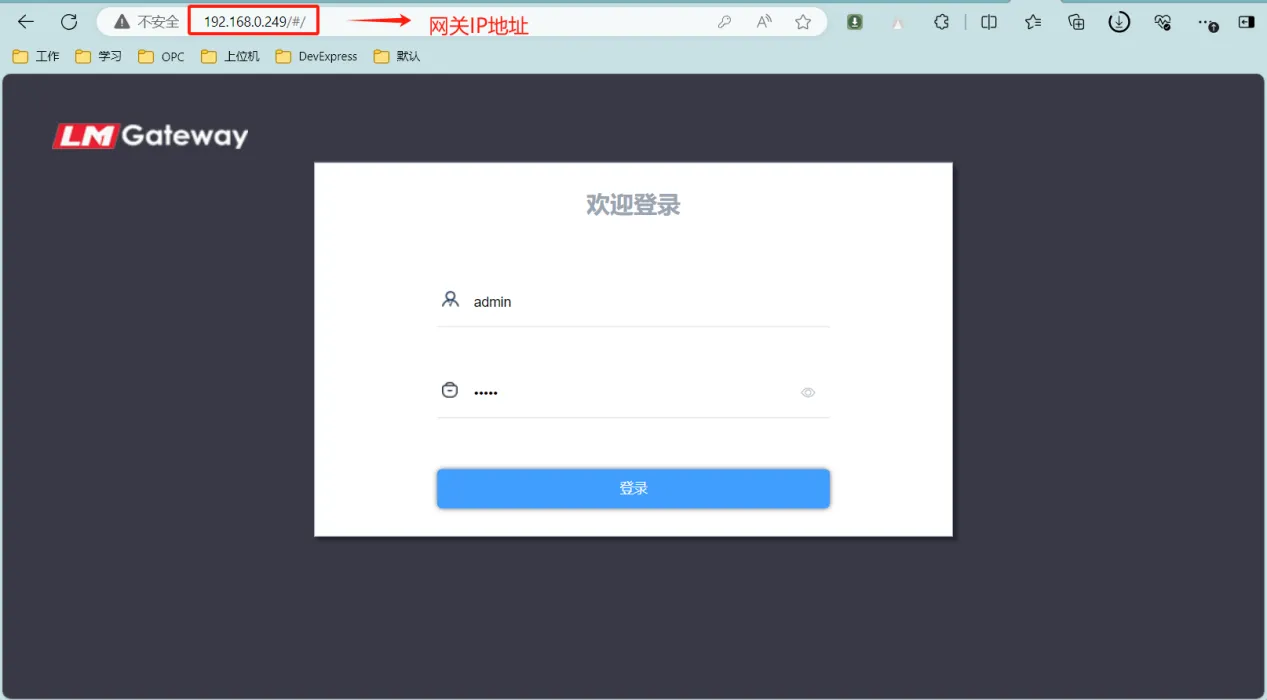
Use the gateway's IP address to access its management console. Sign in with the default username and password: admin/admin.
Click Basic Configuration and open the Remote Management page.
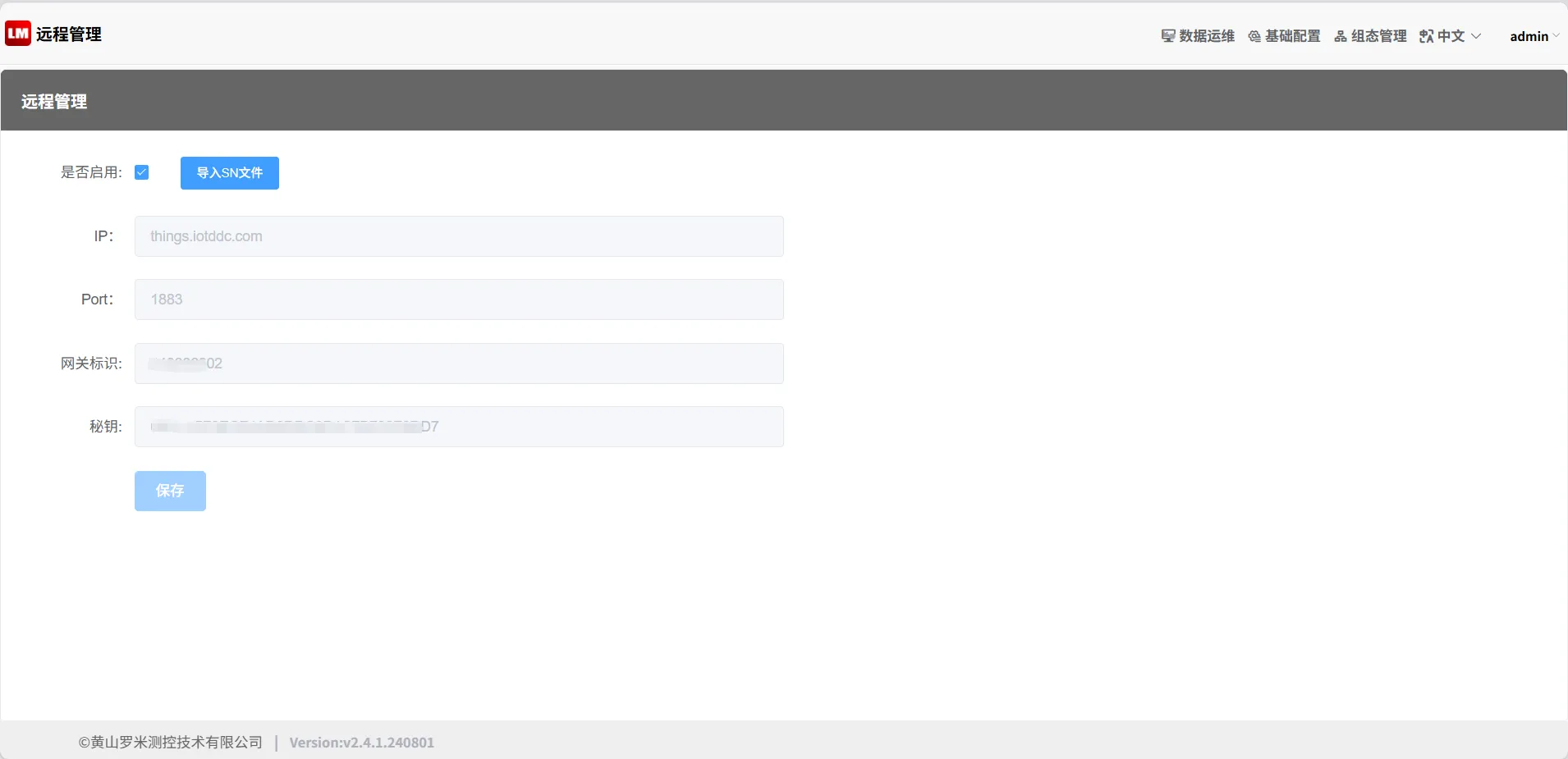
Enter the gateway identifier and key from the gateway configuration page into the SN and Gateway Key fields when creating a gateway on the ThingsIoT platform.
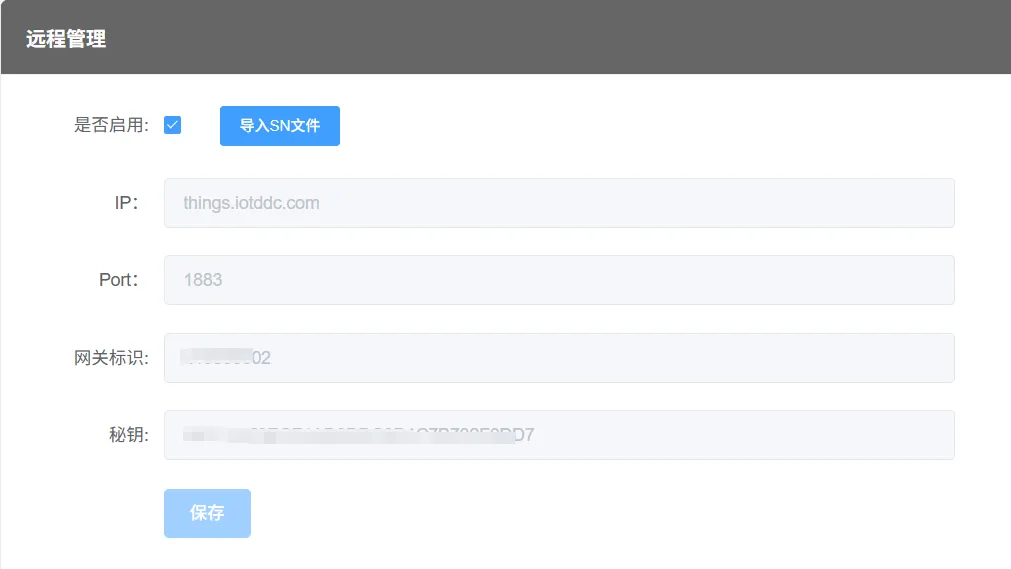
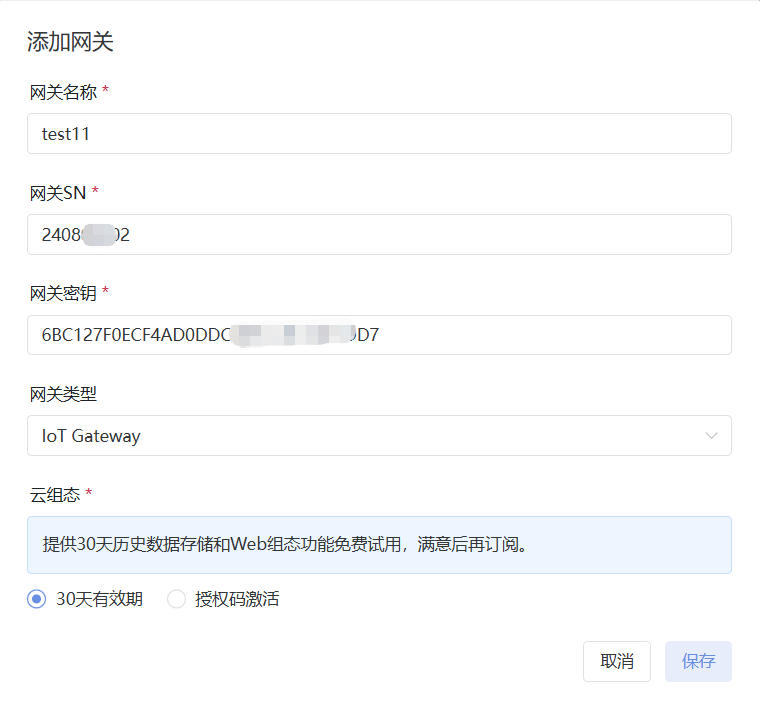
- SN corresponds to Gateway Identifier.
- Gateway Key corresponds to Key.
Enter the SN and gateway key shown above into the form below, and then click Save. The gateway is now successfully bound to the ThingsIoT cloud platform.
If this guide was helpful, please give it a like.