Gateway Management
Overview
The platform supports gateway connection, lifecycle management, monitoring, configuration, log tracking, remote login, OTA upgrades, and other functions. By extending remote gateway operations and maintenance capabilities, ThingsIoT provides enterprises with a one-stop platform covering device commissioning and configuration, status monitoring, abnormal-condition alarms, troubleshooting, and system upgrades. This substantially improves device-management efficiency and system reliability and is especially suitable for IoT deployments with large device fleets, unattended sites, and widely distributed edge nodes.
Quick Start
Configure a Project
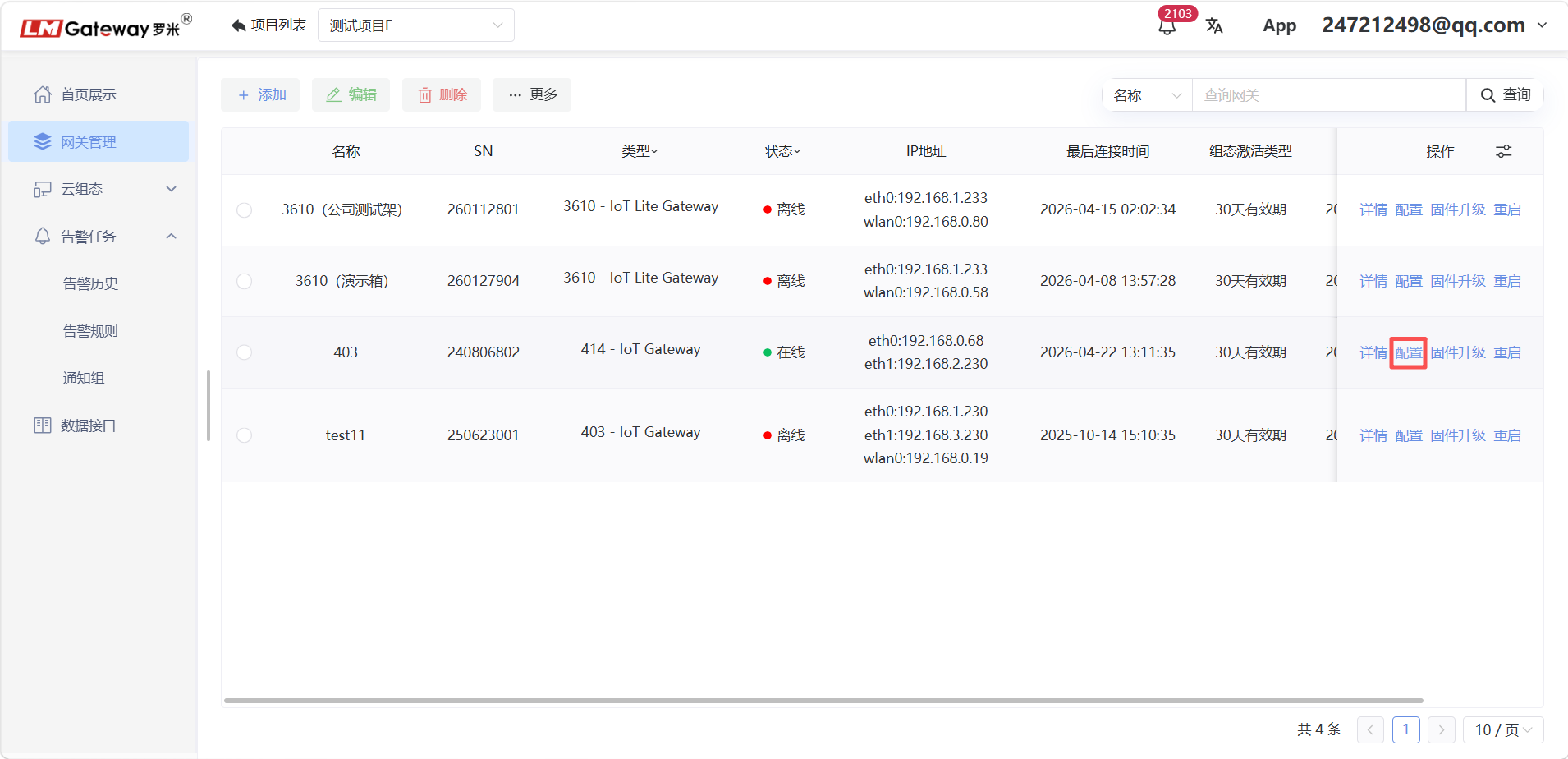
A gateway obtains real-time device data through a configured data-acquisition project. Click the Configure button shown below to complete the acquisition-project configuration.
The following figure shows a configured gateway project. Click Publish to deliver it to the gateway and begin collecting device data.
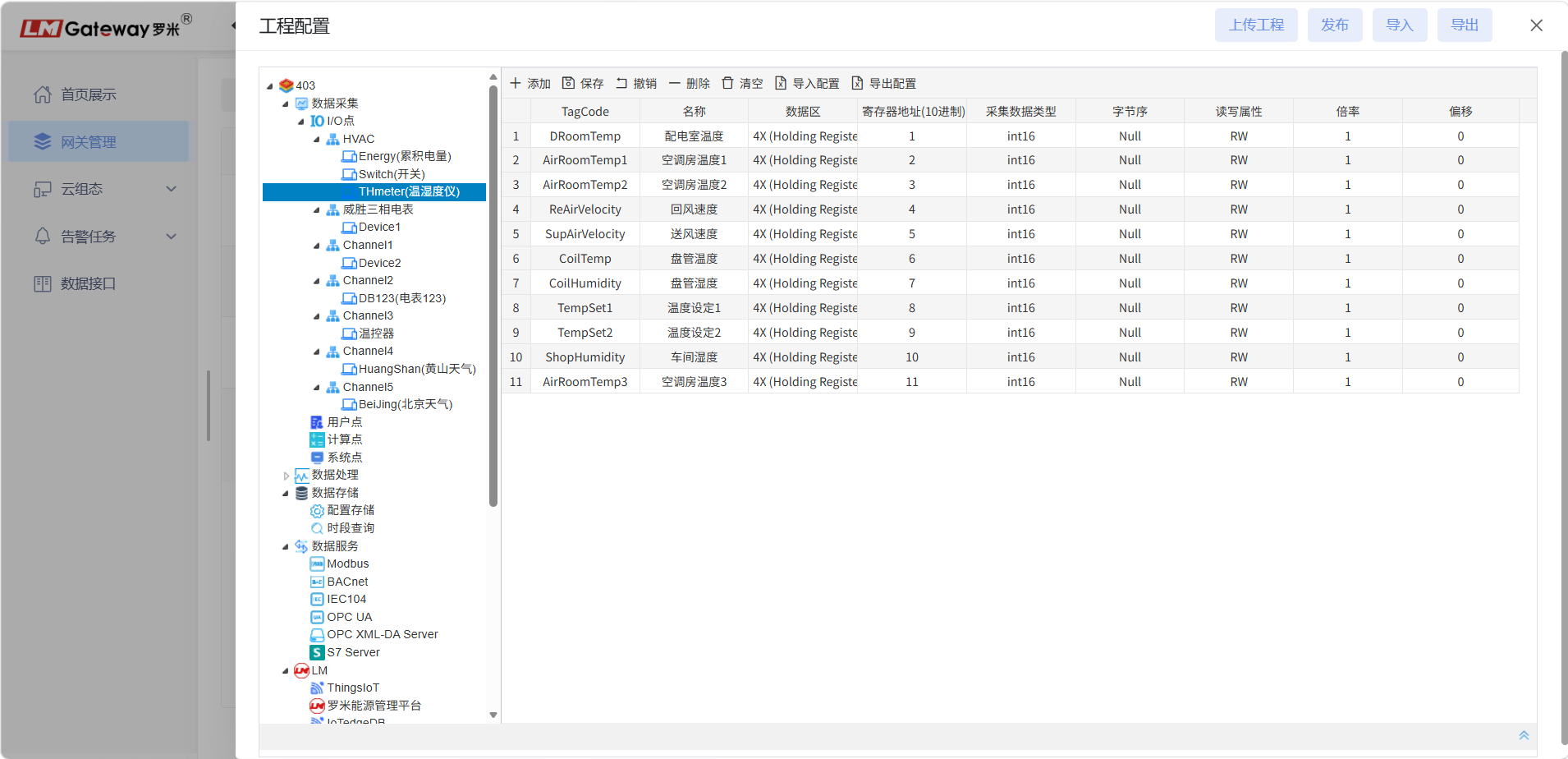
The figure shows data-point configuration.
For detailed protocol configuration, refer to the LM Data-Acquisition Protocol Summary.
Publish a Project
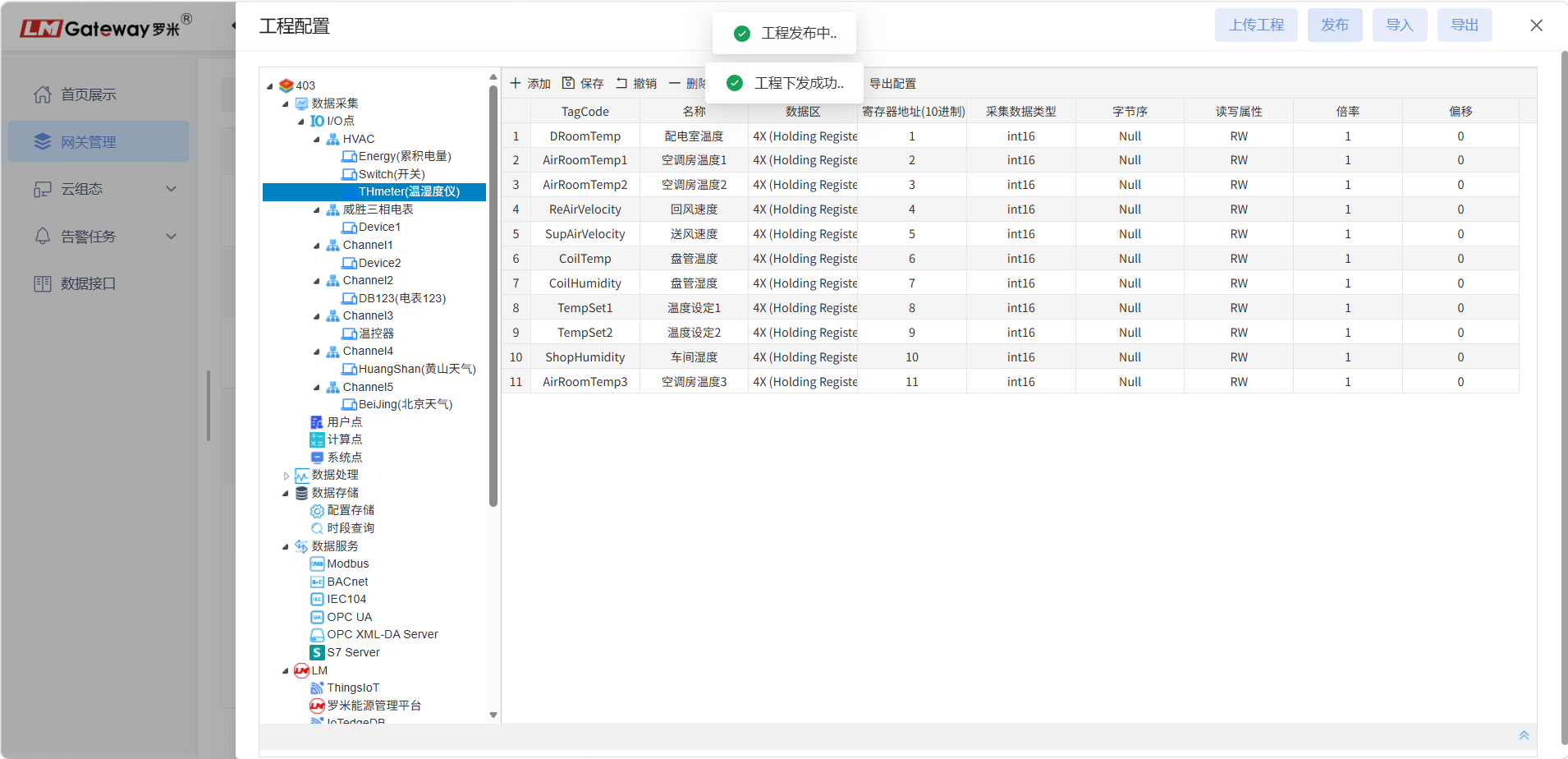
Click Publish. The gateway project is published successfully.
Gateway projects can be exported. Click Export to generate a project file.
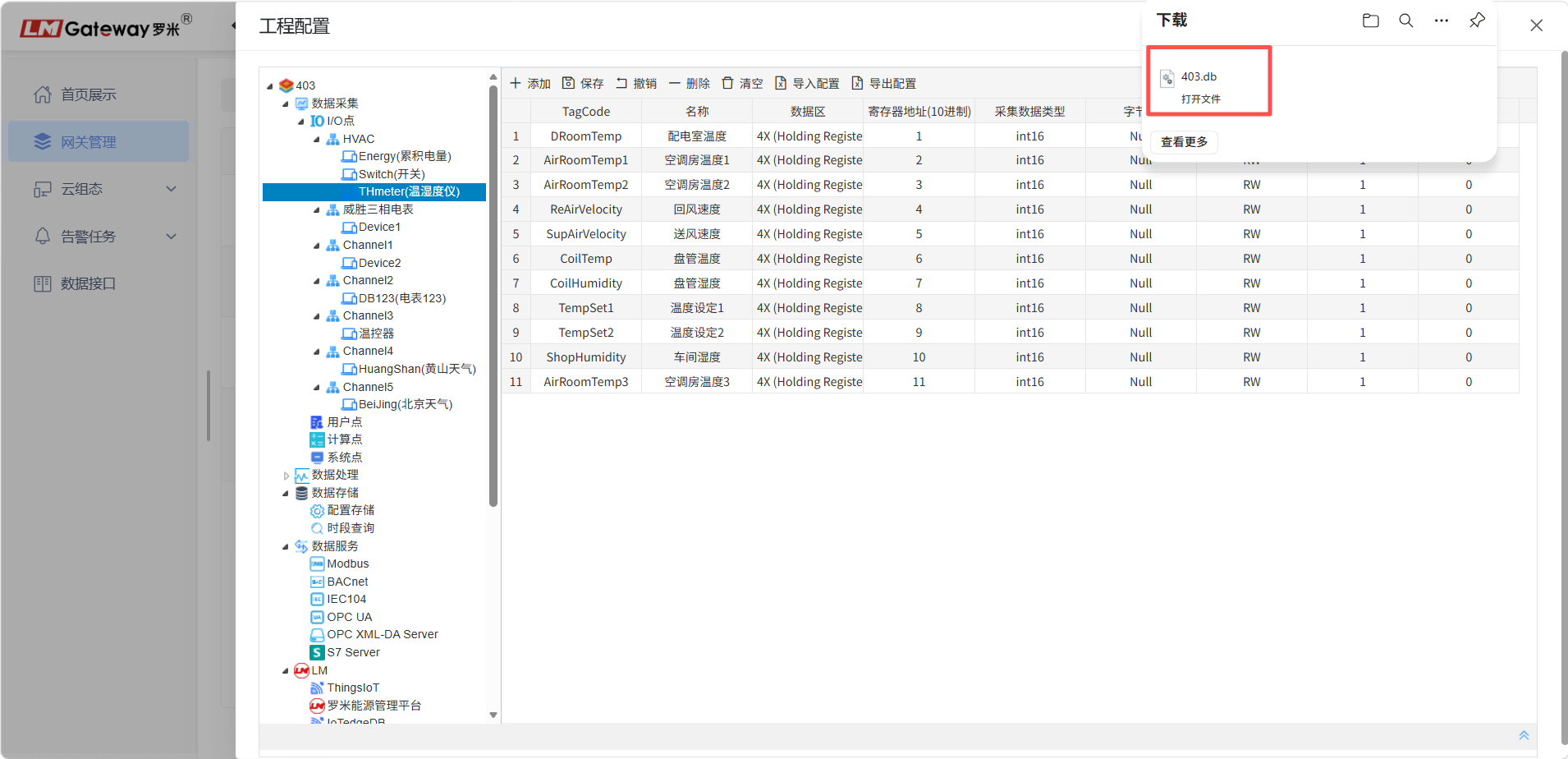
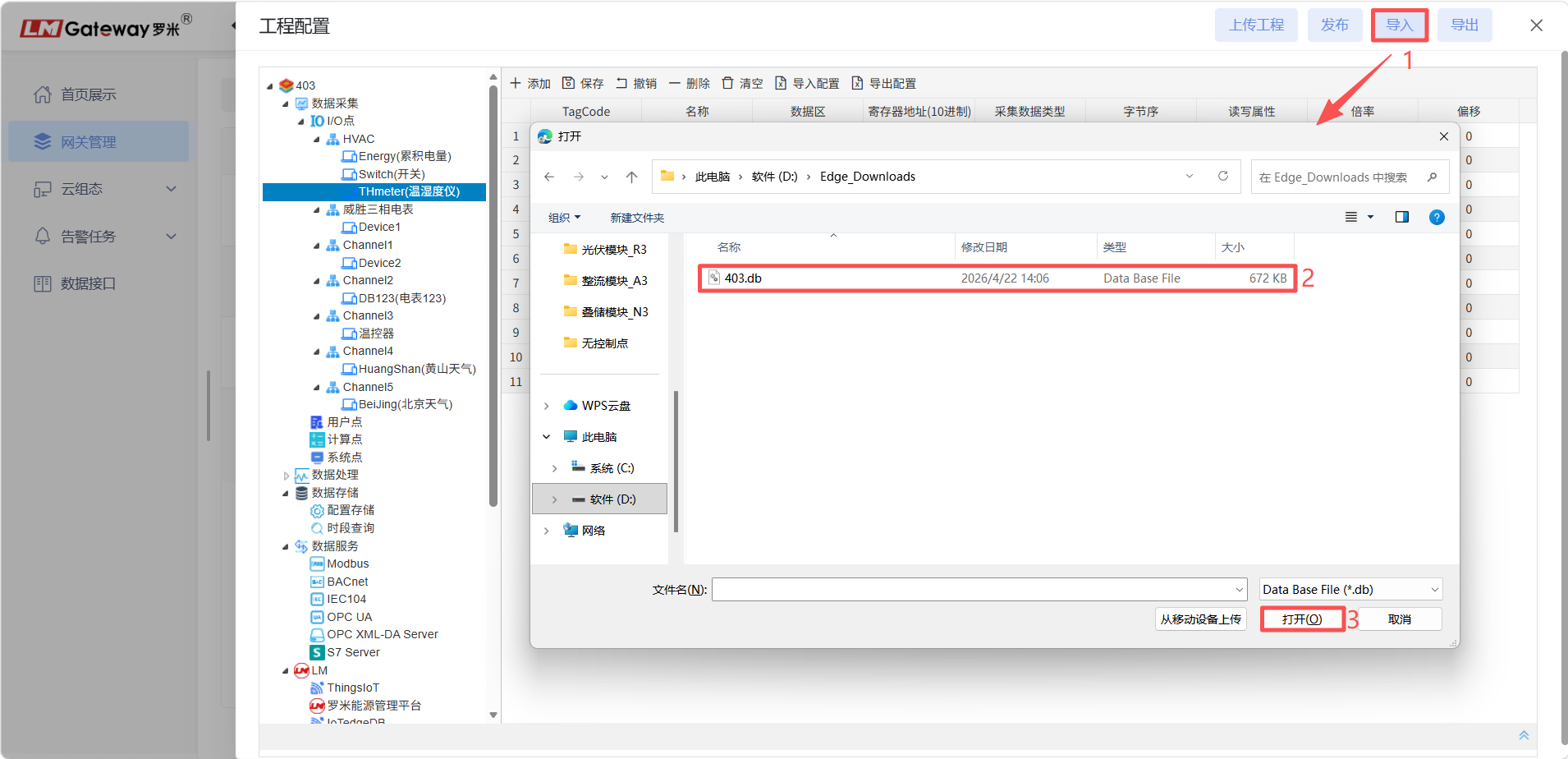
Gateway projects can also be imported. Click Import to import a project file into the platform configuration.
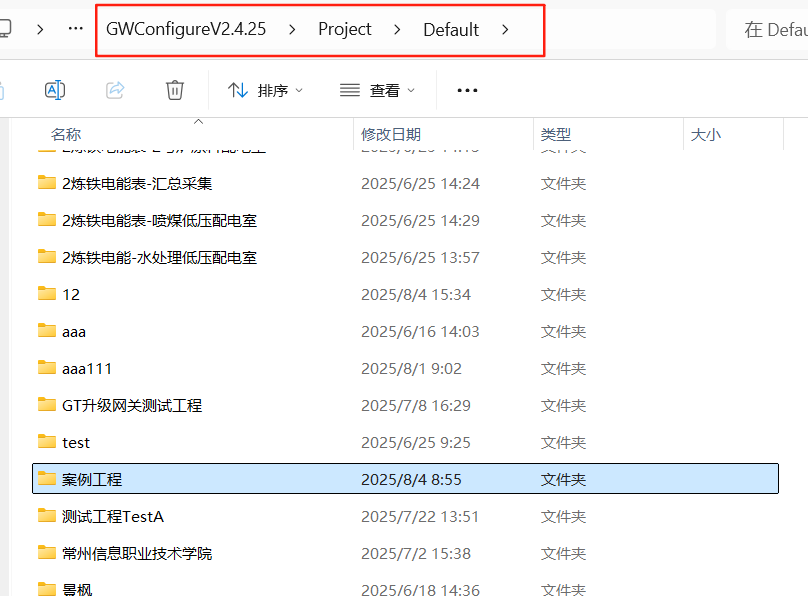
A project configured with the local configuration tool can be imported into the ThingsIoT platform. First open the configuration tool and locate the Project folder, where all project files are stored.
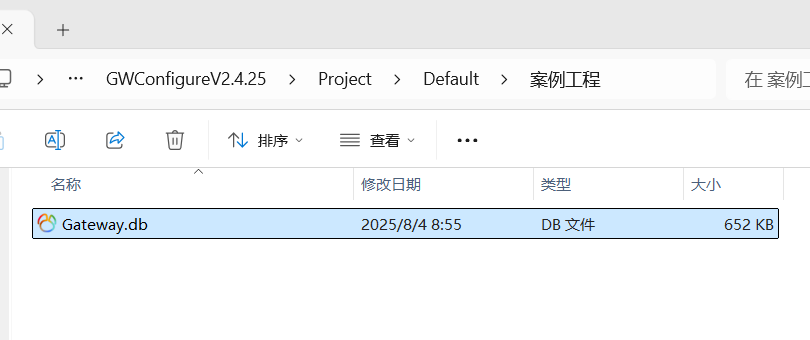
Import the project file, Gateway.db, into the ThingsIoT platform.
Gateway Details
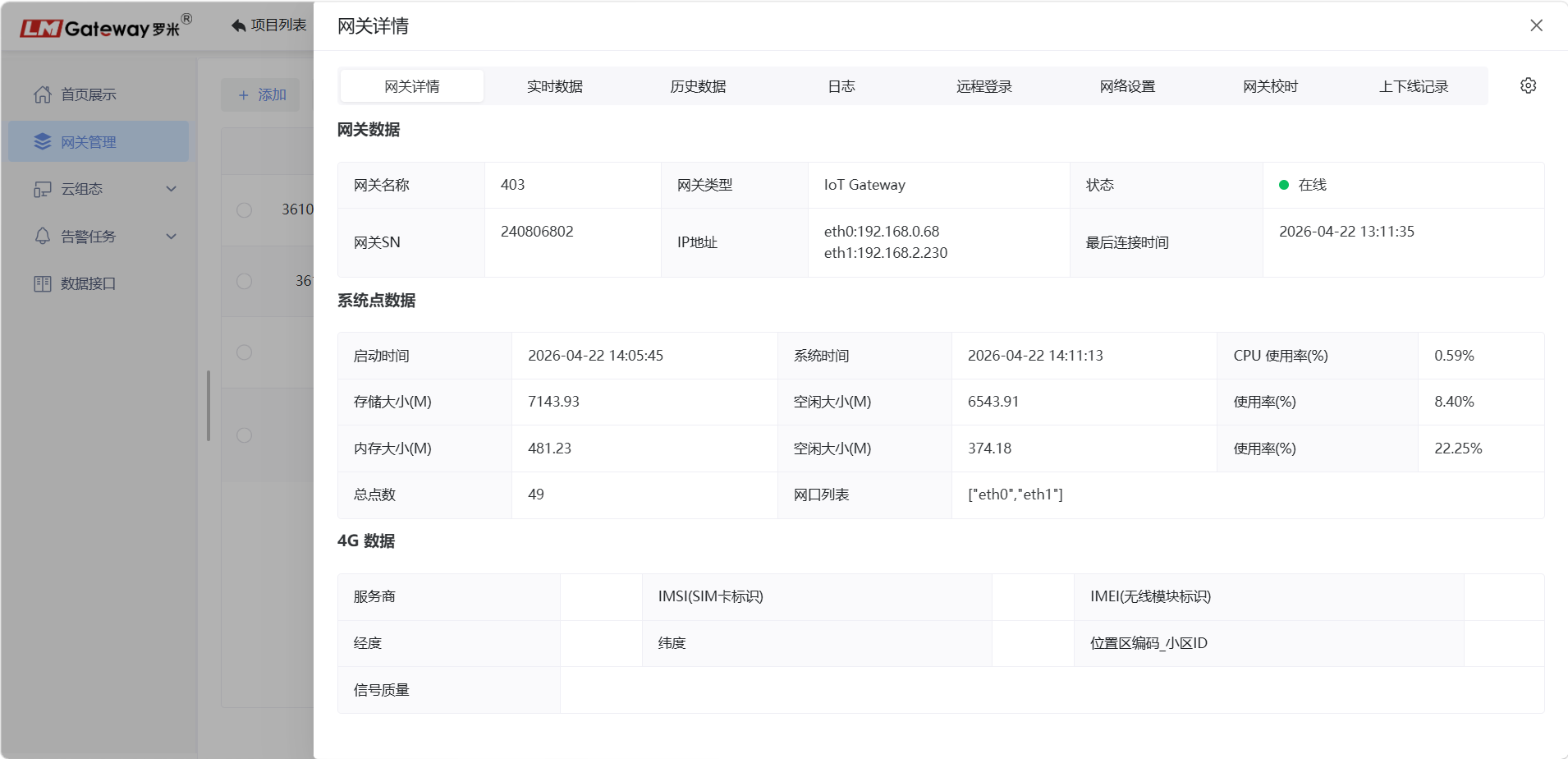
After a data-acquisition gateway is connected to the ThingsIoT cloud platform, the gateway can be monitored remotely.
Click Details to open the gateway configuration page. The Gateway Details page is displayed first and presents key gateway information.
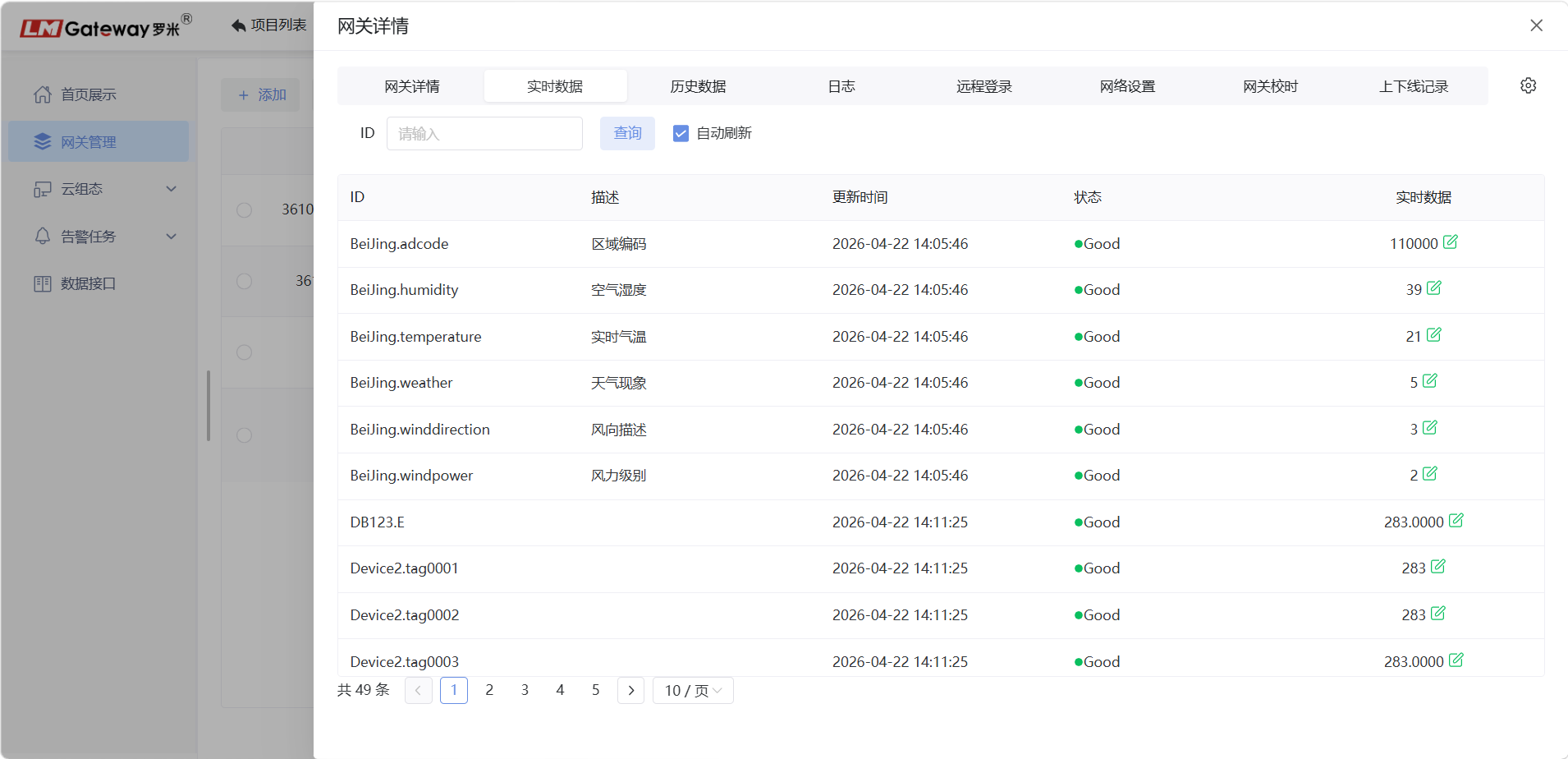
Real-Time Data Page
View real-time data collected by the gateway.
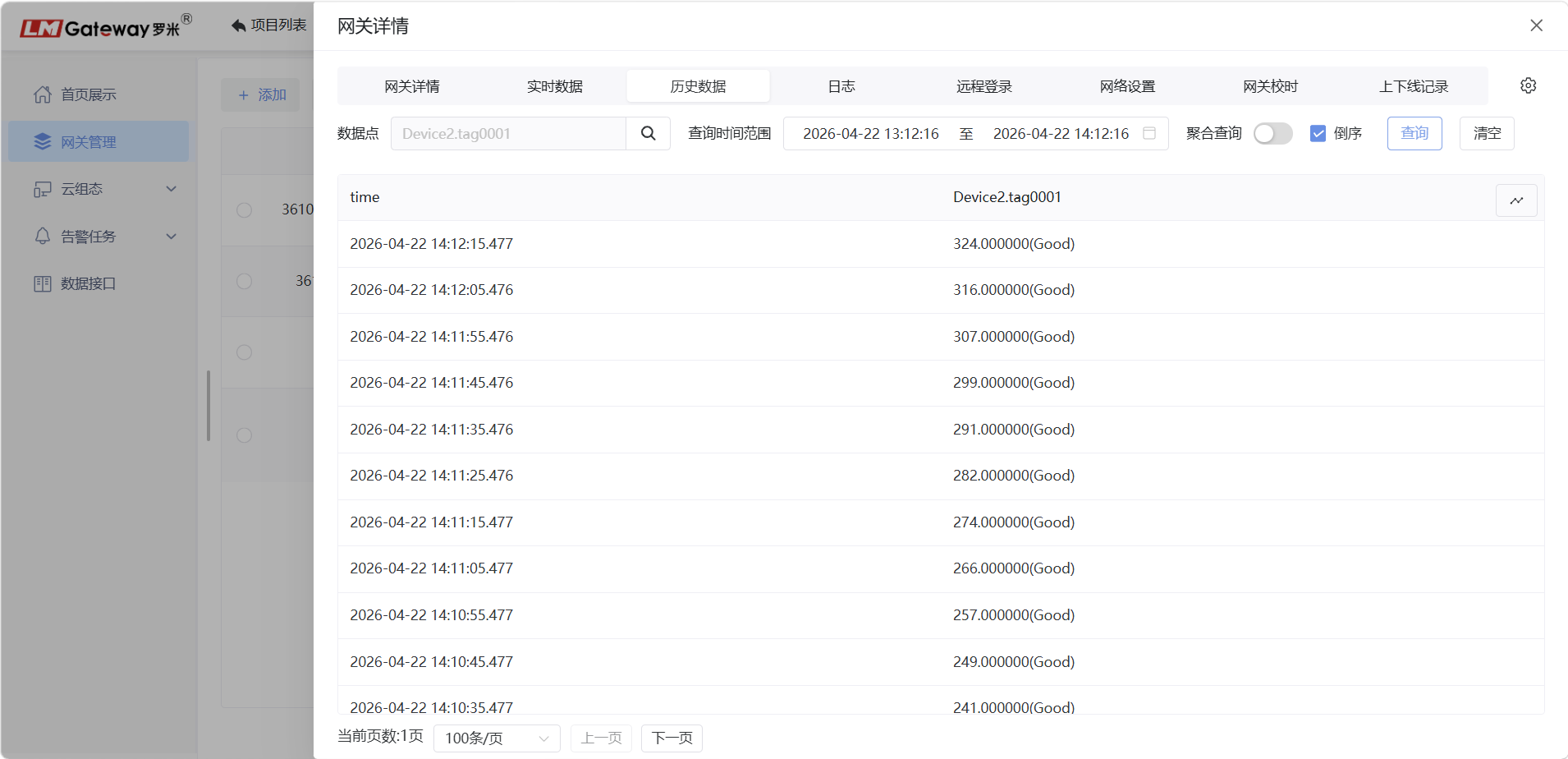
Historical Data Page
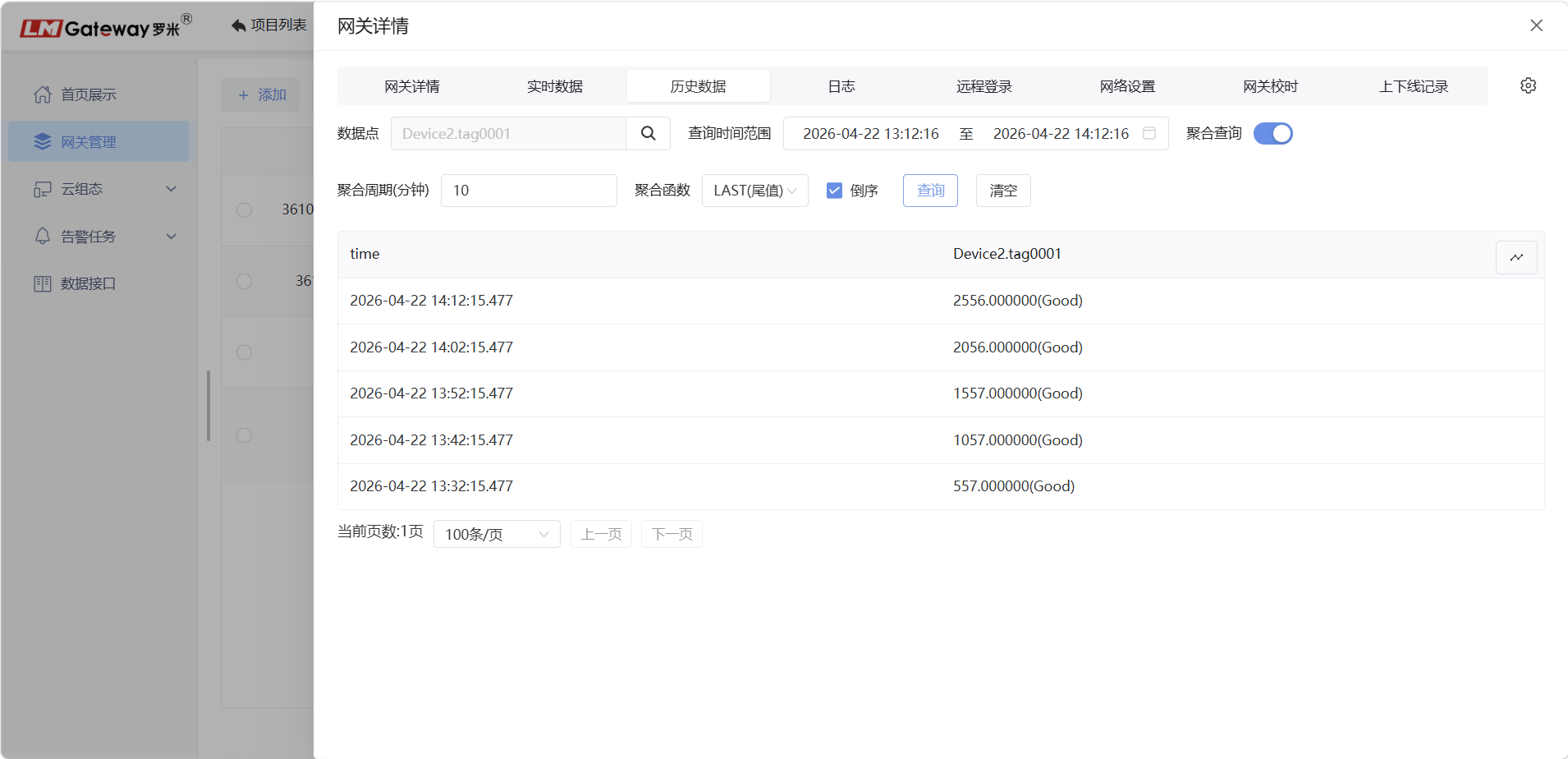
Historical data is stored at the edge on the gateway. Aggregated queries are also supported.
Aggregated query:
Note: This function is supported only by high-performance gateway models. Before querying gateway historical data, data-storage points must be added in the project configuration.
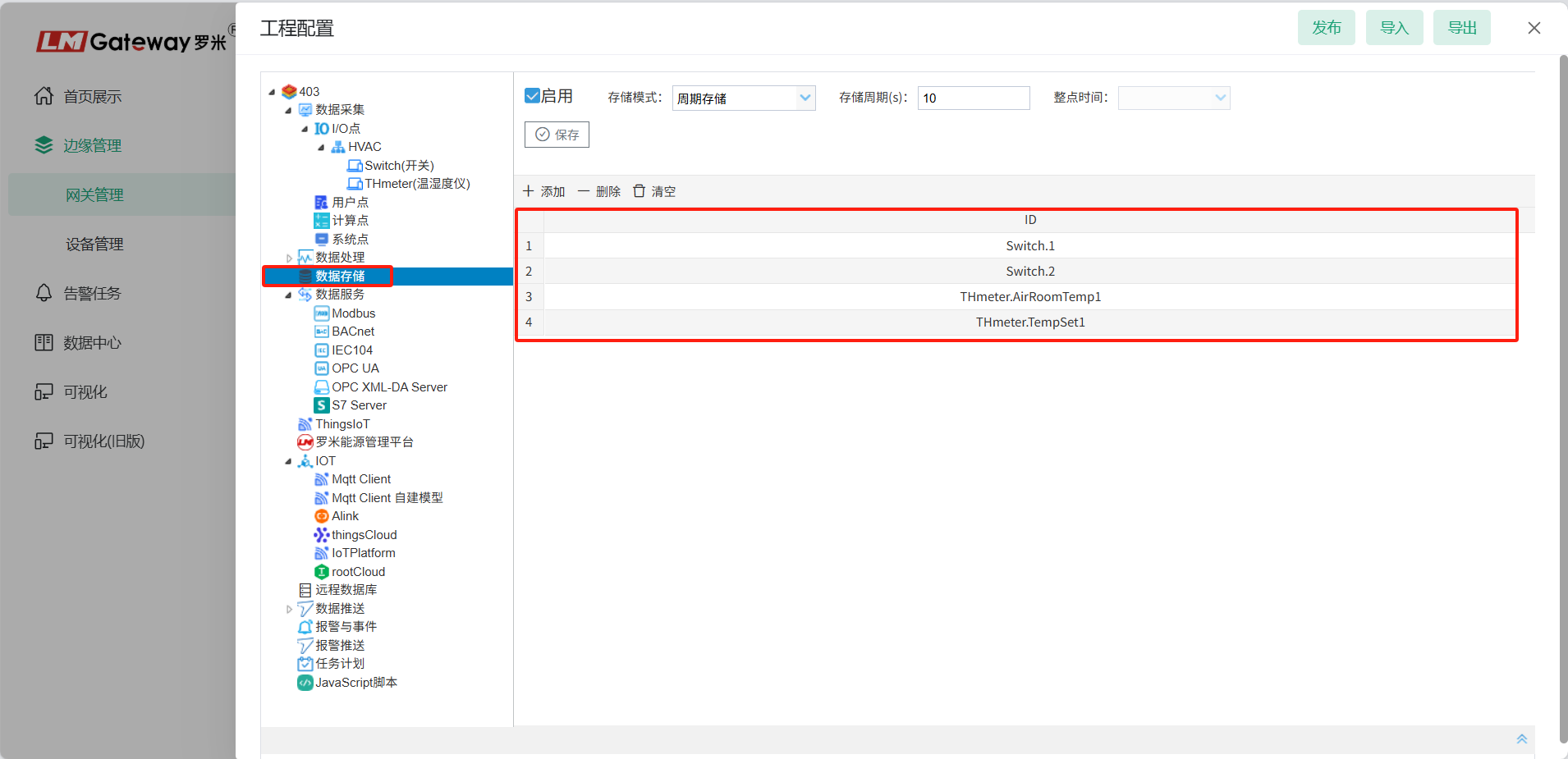
Logs Page
View gateway operating logs. Log files can also be saved.
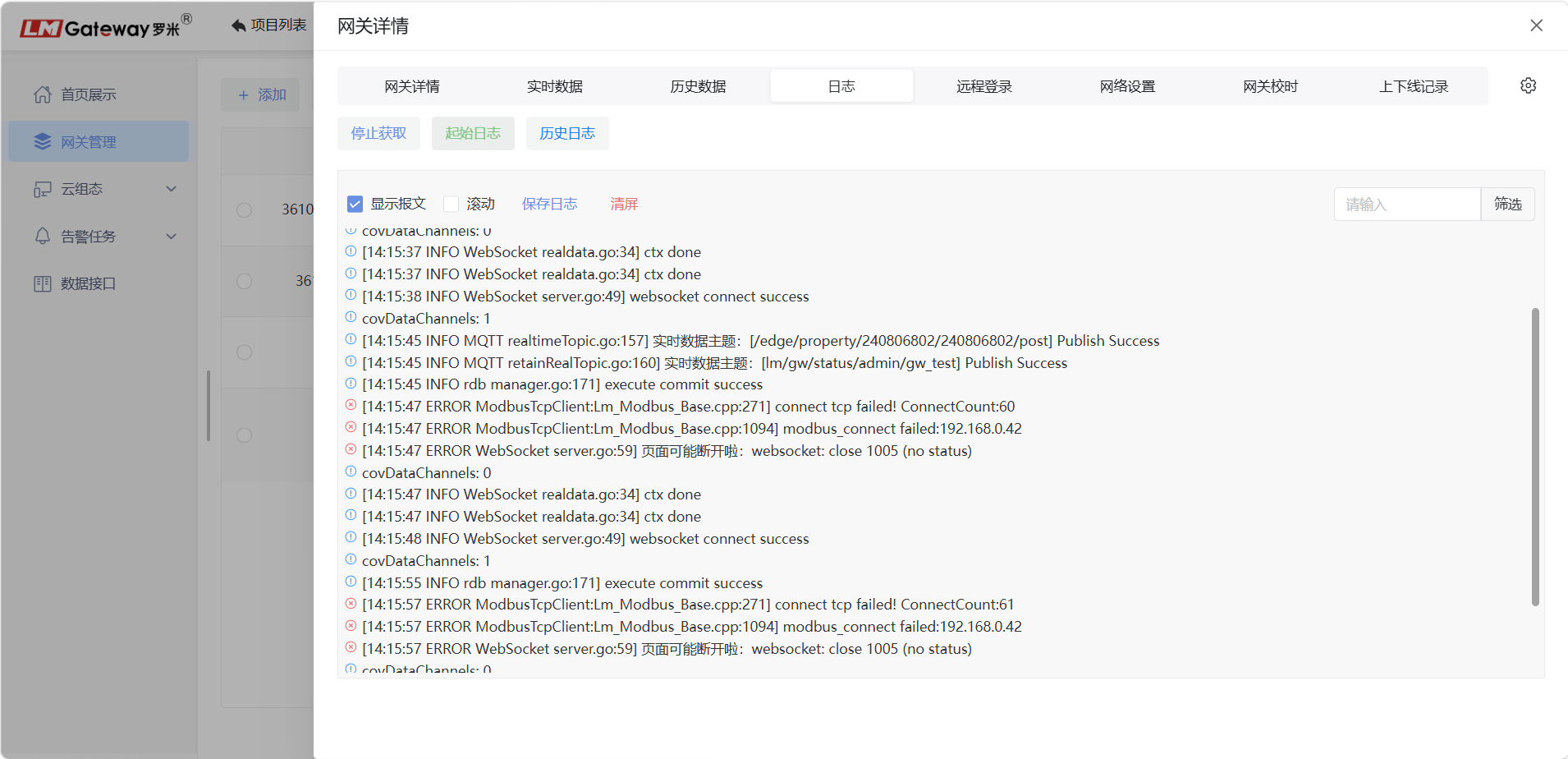
Network Settings
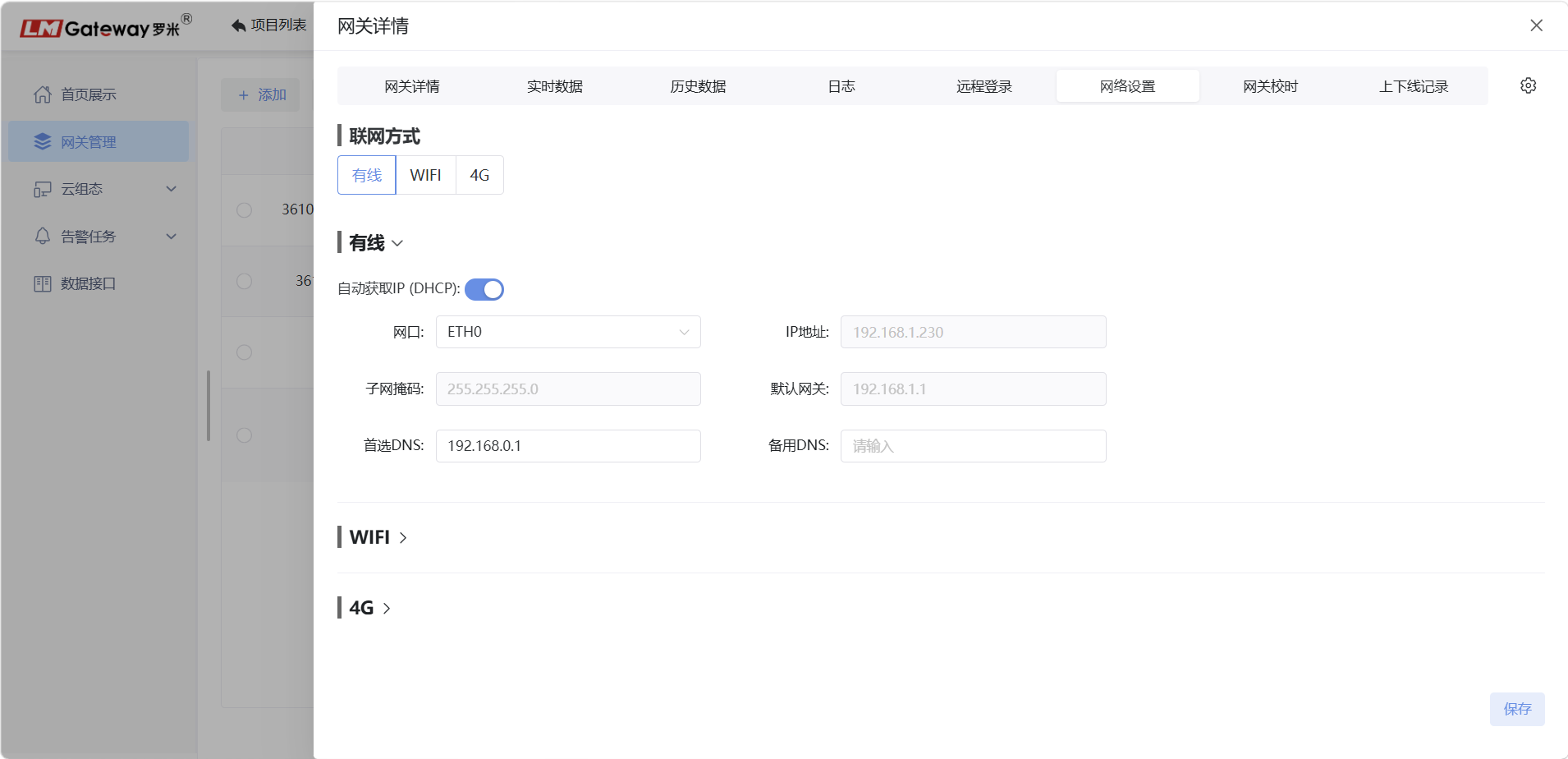
View and edit gateway network settings and configure the gateway connection method: Ethernet, Wi-Fi, or 4G.
Gateway Time Synchronization
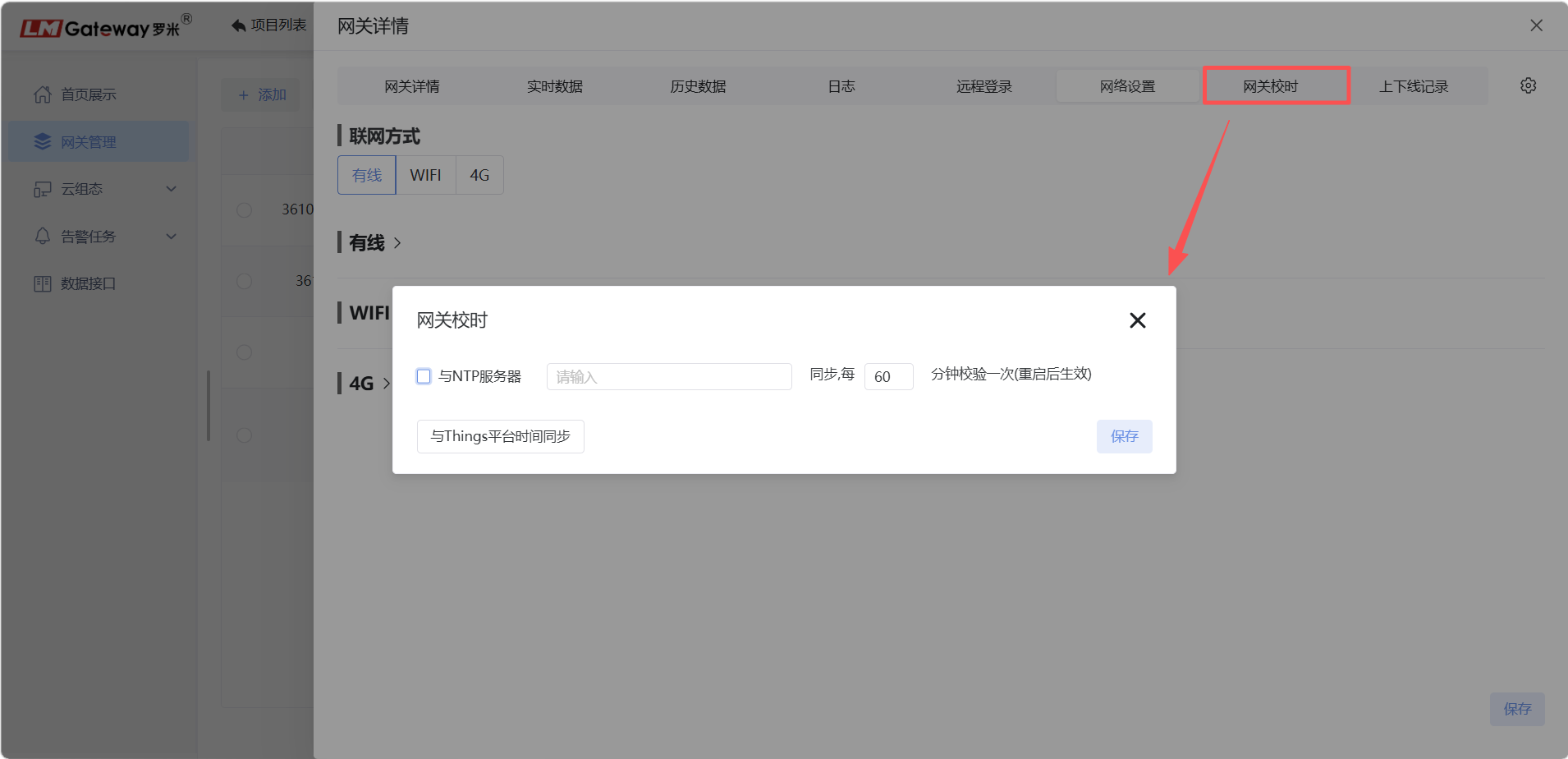
Click Gateway Time Synchronization to open the time-synchronization window. The gateway can synchronize with a specified NTP server or with the ThingsIoT platform time.
Online/Offline Records
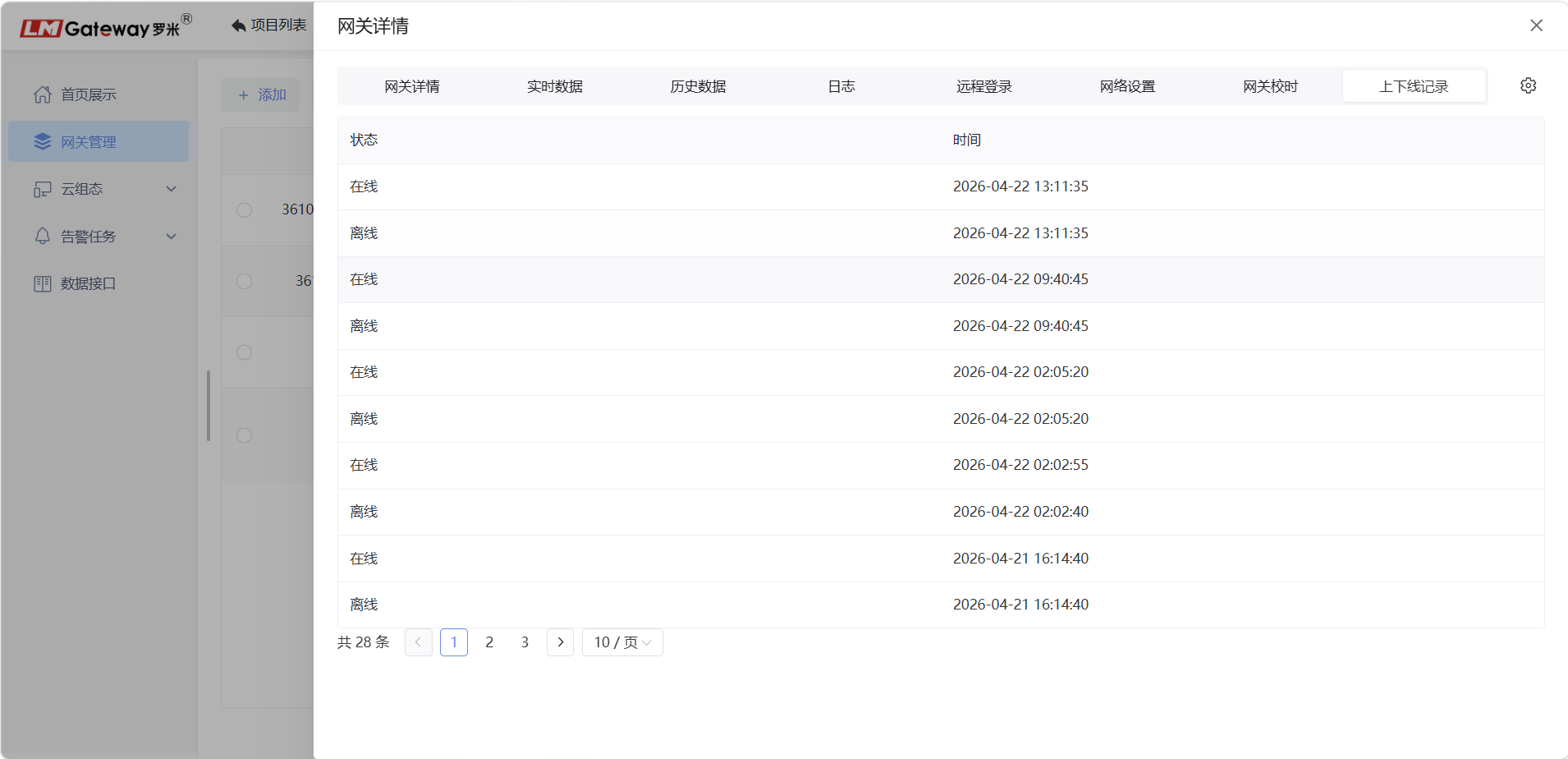
Click Online/Offline Records to view the gateway connection history.
Firmware Upgrade
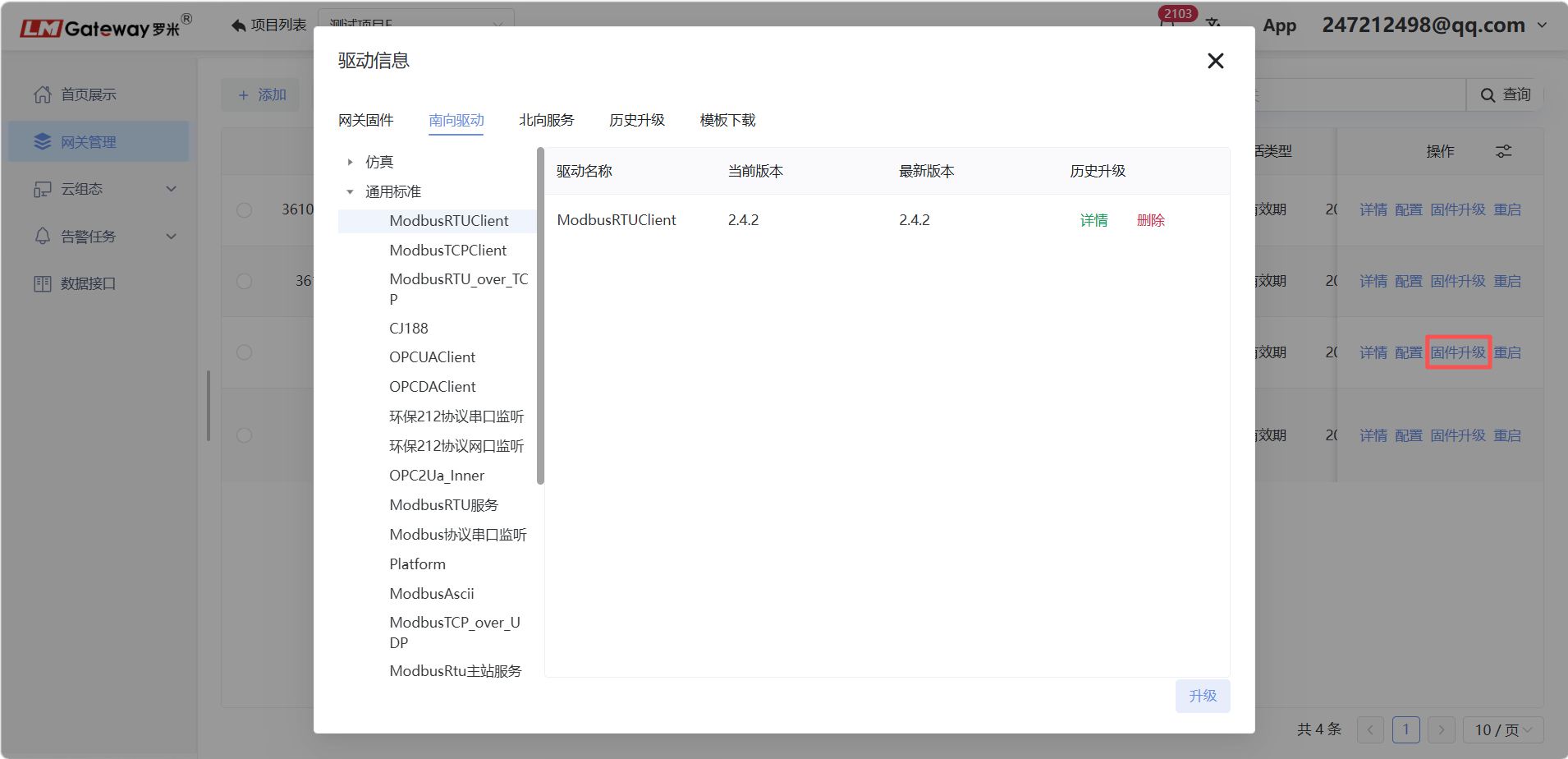
Click Firmware Upgrade to open the driver-information page. Select the driver protocol to be upgraded and click Confirm. The gateway upgrades the corresponding driver protocol.
Restart Gateway
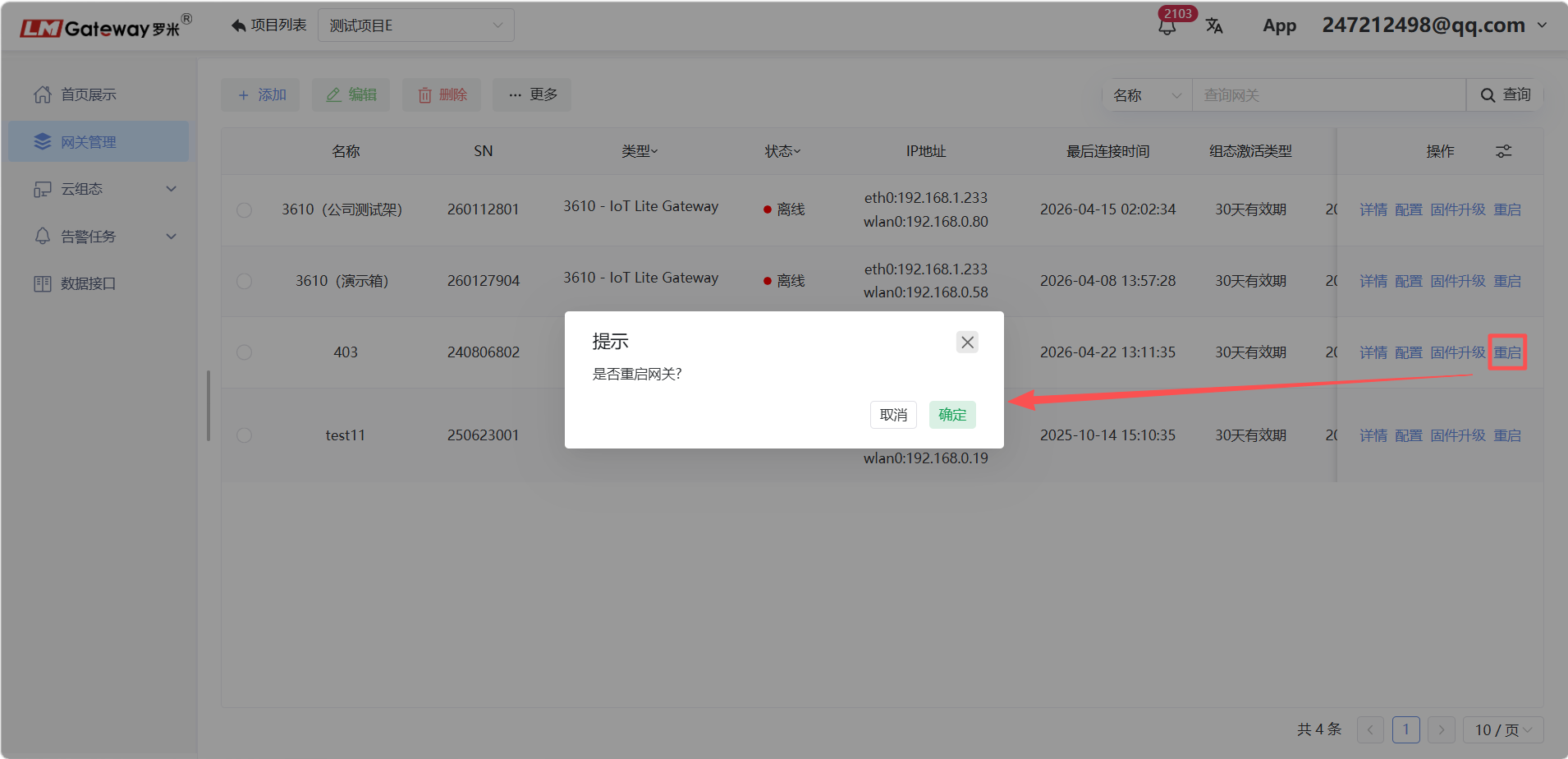
On the Gateway Management page, select the gateway to restart and click Restart. In the confirmation dialog, click Confirm to restart the gateway.